
MACBOOK BATTERY REPLACEMENT IN PHUKET
Express MacBook battery replacement service in Phuket
We stock batteries to be able to provide an on the spot battery replacement service (but not all of them so please contact us first to find out).
If battery is out of stock, it will take an extra 2 days to be delivered from our supplier in Bangkok.
In this case, we will order the battery specifically for you following a 50% deposit payment and we’ll contact you to book the replacement once the battery has arrived.
Once in stock, and depending on your MacBook model, the turn around time may vary from 10 mins to 2 hours (list at the bottom of the page).
Now keep in mind that we may be doing other repairs while you visit us so turn around time may drastically vary for that reason.
If you have ordered your battery in advance, you’ll have a space booked already so you won’t have to worry about that.
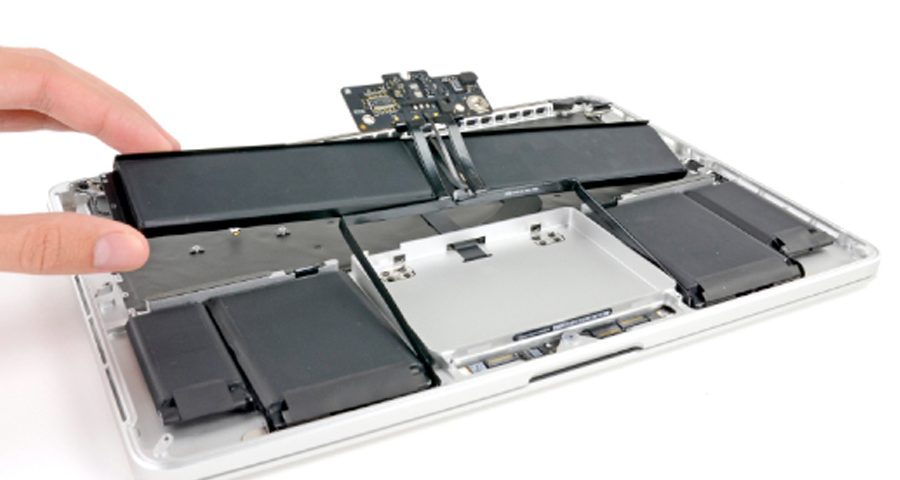
Some models have 5 screws holding the battery in place. Once these 5 screws are removed, battery is off, ready for a new one to be installed. But that’s old news…
Since 2013 and the Retina MacBooks lineup, MacBooks have their batteries secured with adhesives.
So the procedure to remove these batteries became more complex and requires to cautiously pry off the battery from the case, a risky procedure which can lead to rapid fire if done by an inexperienced person or in a hurry.
Quality MacBook batteries in Phuket
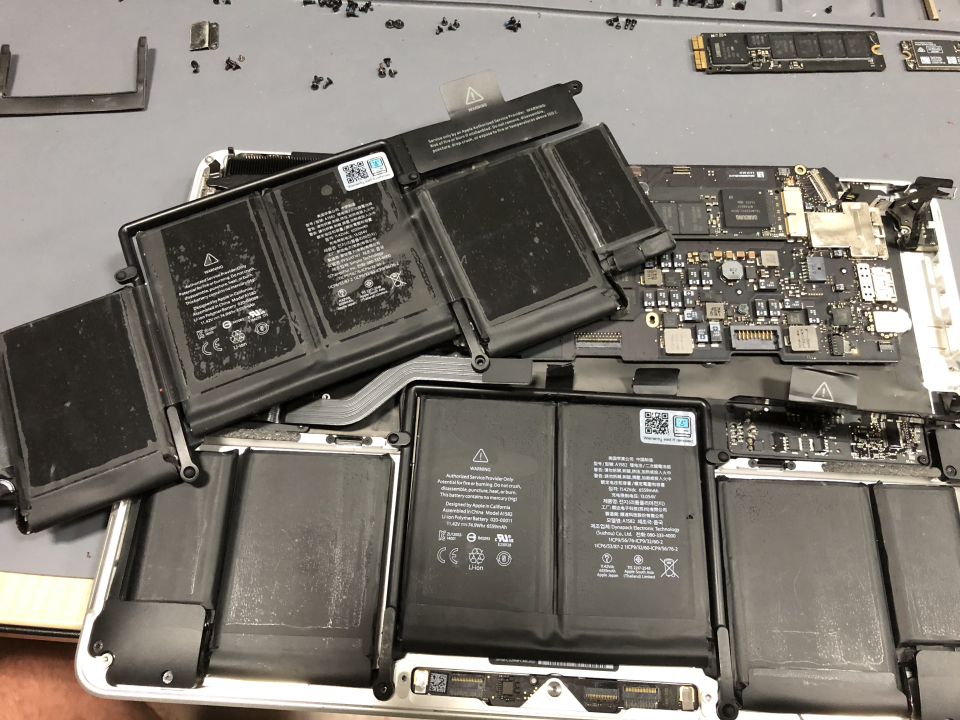
We use Grade A+ OEM batteries or genuine batteries whenever available.
We provide the best batteries we can find in our location of Phuket Thailand.
In case the quality for a specific MacBook model is not there anymore, we’ll warn you not to replace it (but you will still have the choice anyway).
Worth case scenario, we’ll decide to not replace batteries for this model until we can find better ones.
If genuine batteries are available, we’ll stock these ones only.
Often we see clients coming to us with faulty batteries that were replaced in a different store and have lasted a couple of months, just enough to run out the 3 months warranty period.
So in order to save a 1000THB or so, you end up having to replace your MacBook battery again a couple of months later. Not a clever move in our opinion.
At Phuket My Mac, we provide a 6 months warranty with our batteries.
6 months is a lengthy enough period to test a battery and figure out if it will last long or not.
And if our battery shows signs of failure during that time, you can be reassured that we will take care of it.
When to replace my MacBook battery in Phuket?
Batteries are consumables and their charging capacities as well as their conditions will degrade over time.
An average lifetime for a MacBook battery is 5 years and an average cycles count before the battery shows signs of wear is about 800 cycles count, if the device is used in a “friendly” climate.
Once you reach either of these 2 variables, you most likely will start to feel that your MacBook is not lasting as long on battery as it used to.
That indicates the battery is simply wearing out and will continue to do so at faster pace.
At that point, you may start to consider replacing your battery if you want to keep having the best experience with your laptop, though it is not mandatory.
But your MacBook battery may deteriorate earlier if you are dealing with one of these 2 scenarios:
– You have left MacBook seating unused for a few weeks and haven’t thought charging it once in a while.
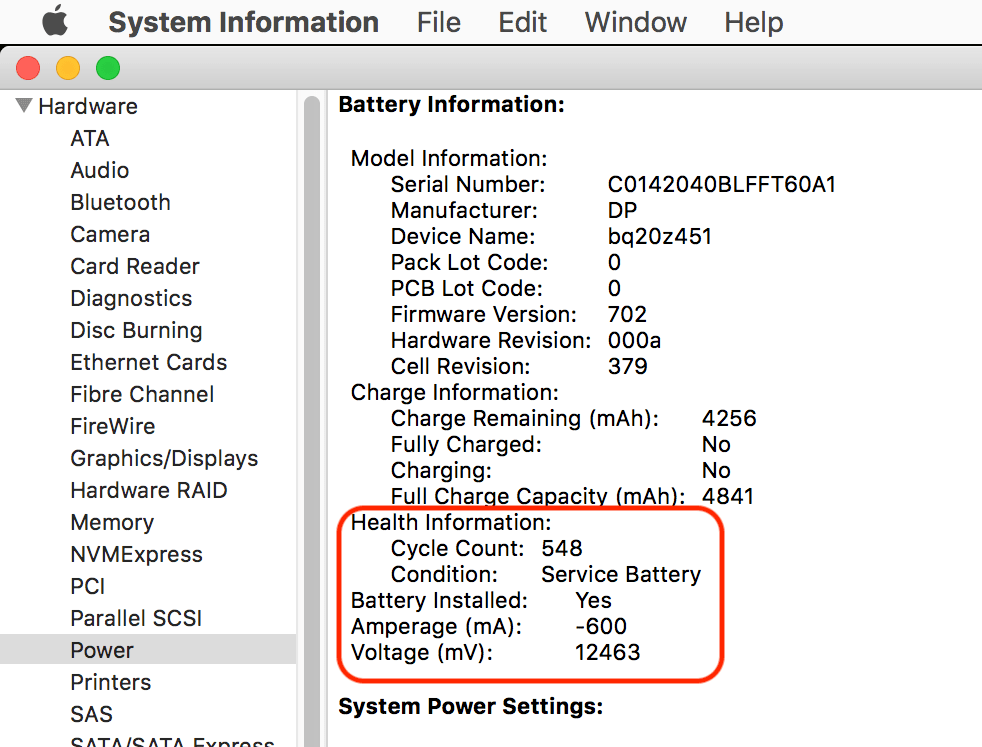
At that point, you may be greeted with a “Service Battery” when you turn it back on.
That basically means the system has detected that the battery is performing way below its normal threshold and will perform poorly on battery power from now on.
Worth case scenario, the MacBook may not even not turn as the battery will prevent it from doing so.
Only disconnecting the battery will allow the MacBook to power on again but, most of the time, the battery will never charge again.
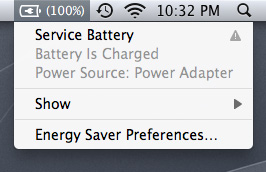
– If you are living in a humid or hot environment like Phuket in Thailand which is causing abnormal stress on the chemical components of the MacBook battery.
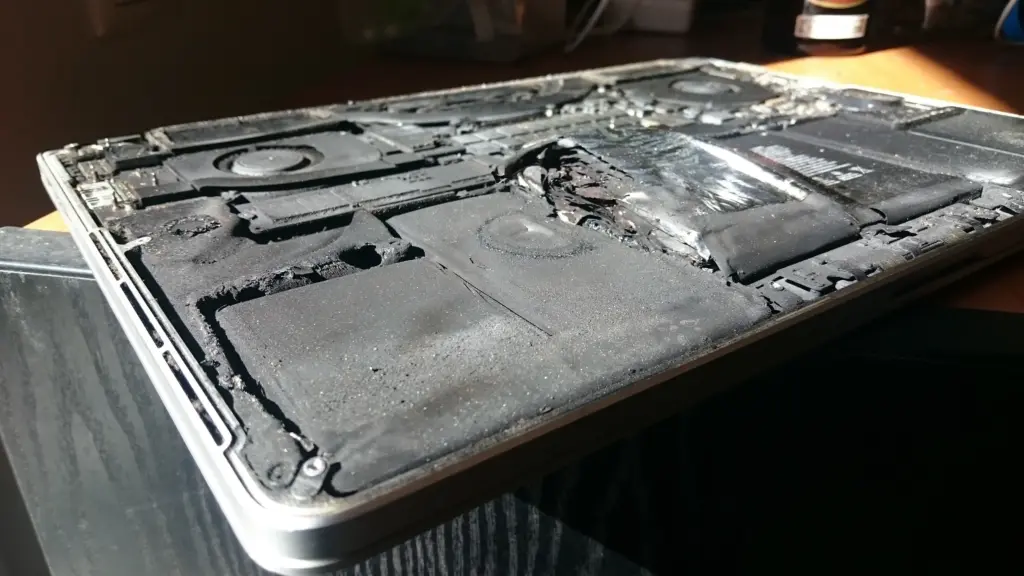
If so, you may start to see your MacBook becoming “pregnant” by noticing the laptop bulging near the palm-rest or touchpad.
That’s an emergency situation where you want to replace your battery ASAP, before the touchpad breaks and, possibly, the computer case becomes irremediably bent.
Not to mention, batteries are extremely flammable devices (you can ask us how do we know…) and are better to be dealt before they start to expand.
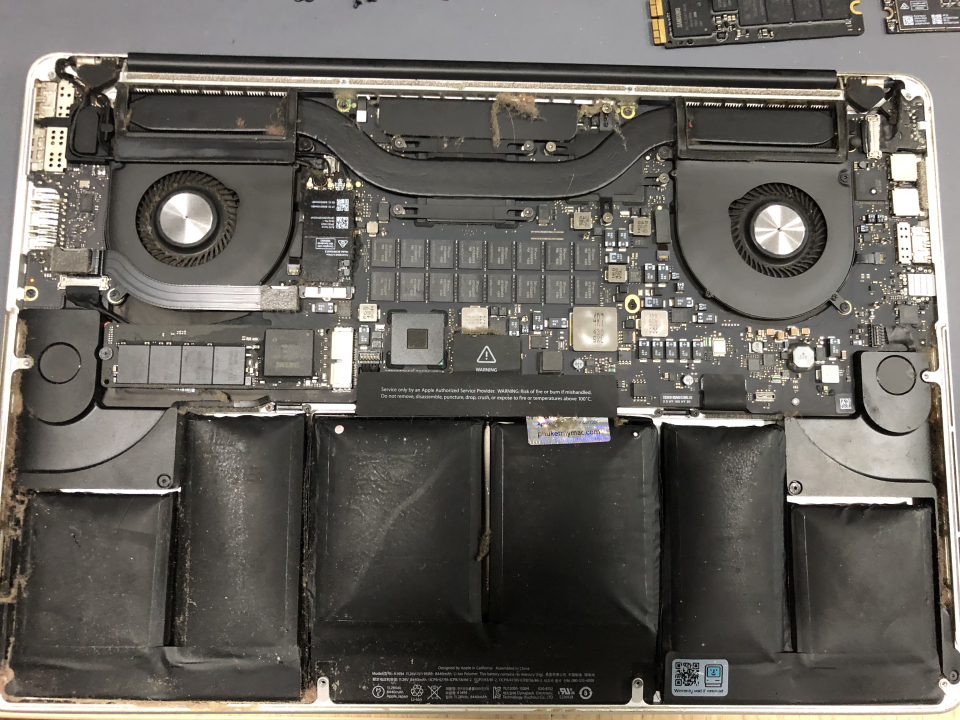
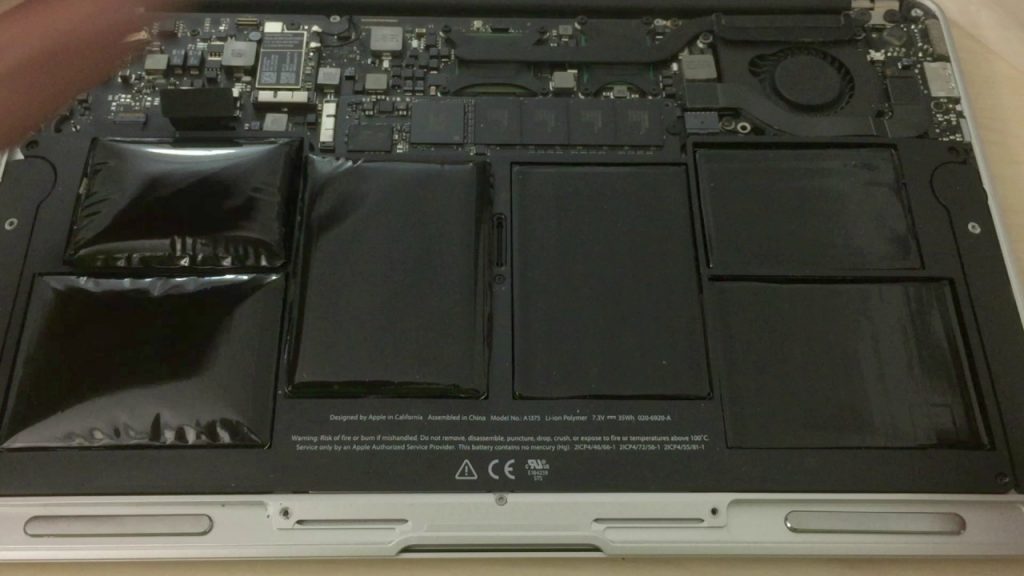
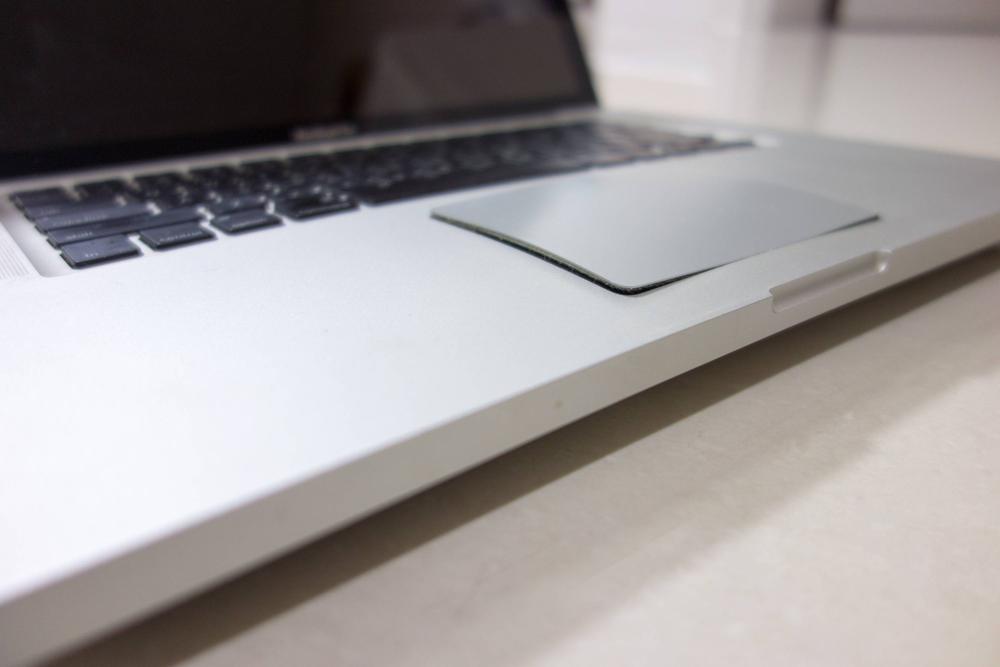
As a rule of thumb, Li-ion batteries do NOT tolerate being empty for a prolonged period of time and once they discharge below a certain threshold (voltage), they may never charge up again, no matter if these were fairly new or not.
That’s why it’s important to store MacBooks with a 50% charge (according to Apple) and turn them off if you have to leave your MacBook away for some time as well as charging them once a week to keep that 50% still.
Also try to keep your device away from heat sources and humidity, not leaving them in a car under the sun for example.
MacBook BATTERY REPLACEMENT prices IN PHUKET
| # | Model number | Model description | Price | Detail |
|---|---|---|---|---|
| 1 | A1370 A1369 A1465 A1466 |
MacBook Air 11/13″ from 2010 – 2017 |
3,000THB | Quick turn around time. A few screws later and your battery is swapped. You can watch us do the job. |
| 2 | A1932 A2179 |
MacBook Air Retina 13″ from 2018 -2020 | 5,000THB | Average time: 1 hour. Faulty battery has to be unglued from the case, case cleaned from remaining tape residues and new battery taped in place. Go get a coffee next door and by the time you’re a back, your MacBook will be ready. |
| 3 | A1534 | MacBook 12″ Retina from 2015 – 2017 |
Not available | We are not providing any service for this model anymore due to various issue cause by its bad design. |
| 4 | A1398 A1502 |
MacBook Pro 13/15″ Retina from 2012 – 2015 | 5,000THB | Average time: 1 hour. Faulty battery has to be unglued from the case, case cleaned from remaining tape residues and new battery taped in place. Go get a coffee next door and by the time you’re a back, your MacBook will be ready. |
| 5 | A1706 A1708 A1707 A1989 A1990 A2159 A2251 A2289 |
MacBook Pro Intel 13/15″ From 2016 – 2019 | 5,000THB | Average time: 1 hour. Faulty battery has to be unglued from the case, case cleaned from remaining tape residues and new battery taped in place. Go get a coffee next door and by the time you’re a back, your MacBook will be ready. |
| 6 | A2141 | MacBook Pro 16″ Intel 2019 | 5,500THB | Average time: 1 hour. Faulty battery has to be unglued from the case, case cleaned from remaining tape residues and new battery taped in place. Go get a coffee next door and by the time you’re a back, your MacBook will be ready. |
| 7 | A2337 | MacBook Air 13″ M1 | 5,000THB | Average time: 1 hour. Faulty battery has to be unglued from the case, case cleaned from remaining tape residues and new battery taped in place. Go get a coffee next door and by the time you’re a back, your MacBook will be ready. |
| 8 | A2681 A3113 A3240 |
MacBook Air 13″ M2/M3/M4 | 5,000THB | Average time: 1 hour. Faulty battery has to be unglued from the case, case cleaned from remaining tape residues and new battery taped in place. Go get a coffee next door and by the time you’re a back, your MacBook will be ready. |
| 9 | A2941 A3114 A3241 |
MacBook Air 15″ M2/M3/M4 | 5,500THB | Average time: 1 hour. Faulty battery has to be unglued from the case, case cleaned from remaining tape residues and new battery taped in place. Go get a coffee next door and by the time you’re a back, your MacBook will be ready. |
| 10 | A2338 | MacBook Pro 13″ M1 | 5,000THB | Average time: 1 hour. Faulty battery has to be unglued from the case, case cleaned from remaining tape residues and new battery taped in place. Go get a coffee next door and by the time you’re a back, your MacBook will be ready. |
| 11 | A2442 A2779 A2992 |
MacBook Pro 14″ M1/M2/M3/M4 | 5,500THB | Average time: 1 hour. Faulty battery has to be unglued from the case, case cleaned from remaining tape residues and new battery taped in place. Go get a coffee next door and by the time you’re a back, your MacBook will be ready. |
| 12 | A2485 A2780 A2991 |
MacBook Pro 16″ M1/M2/M3/M4 | 5,500THB | Average time: 1 hour. Faulty battery has to be unglued from the case, case cleaned from remaining tape residues and new battery taped in place. Go get a coffee next door and by the time you’re a back, your MacBook will be ready. |