
Mac Software installation
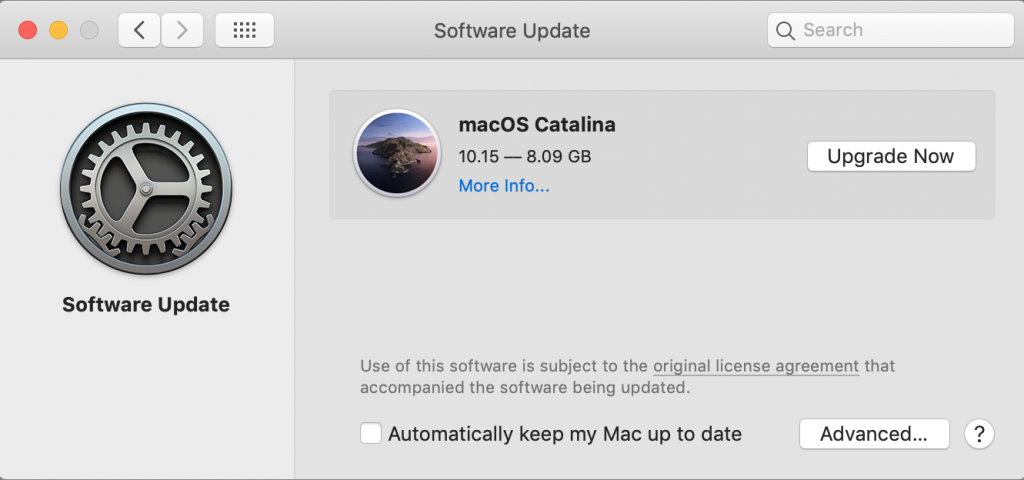
Why do I need to update my macOS version?
Before we start, be aware that OS stands for operating system which in our case is the Mac operating system, macOS.
The main reasons why you will need a newer OS version are the following:
– new OS features
– An application like Whatsapp or your favorite web browser requiring a newer OS version for compatibility
– some security flaws have been patched in more recent macOS versions.
I need a system update but macOS won’t let me, what’s going on?
Apple typically provides major macOS upgrades for about 5–7 years from a Mac’s release date.
After that, they will prevent newer version from being installed on older hardware.
That is a way for Apple to push the purchase of new machines however this is partially understandable as newer OS features require better, faster hardware parts to run the OS at a smooth and enjoyable speed.
Older Macs could potentially run those tasks but at a significantly lower speed, making them not suitable for the job.
Also another case for needing our help to install a newer macOS version is that customers have waited too long to update the system.
Since Apple only advertise the latest OS version available at the time in the “software update” menu and that latest version is not supported by their Mac, they are stuck with an older macOS version that their Mac can support.
In this case you can only download manually the newest macOS version that your Mac can support, from the web, and then run it manually.
But if you are unaware where to find that version or need some guidance, you can contact us and we’ll help you with the installation process.
Shall I backup my data before I run a system update?
Yes indeed.
Any update comes with a risk of crash during the process and the bigger the gap between the version you are running and the version you are trying to install, the bigger the risk.
Therefore a backup is always an important safety precaution.
Get yourself a small external hard drive with at least the same size of storage capacity that your Mac has.
But we recommend you go for slightly bigger if you want to be able to keep more backup history. That is usually worth it.
Can you update my system even if my Mac is obsolete and won’t support the newest macOS version?
We can definitely raise the limit and install a newer version but you can’t expect that a 15 years old Mac will run the latest version of macOS as of today which is Tahoe.
However making a jump forward of 2 or even 3 system versions is often possible.
For instance, at our office, we are running in a production environment an iMac 27″ from 2011 with macOS Monterey.
This iMac 2011 was only capable of running macOS High Sierra but with macOS Monterey which is a macOS version that was released in 2021 and was last updated in 2024, we made a jump forward of 4 versions, skipping macOS Mojave, macOS Catalina, macOS Big Sur.
As of today, this OS version is capable of running any popular Web Browser as well as Whatsapp social network app which are requirements for our business.
It’s been working flawlessly for 2 years now.
Our rates
Our software installation rates
| # | Service | Price | Features |
|---|---|---|---|
| 1 | macOS installation or update | 1000THB | Data backup will be done before proceeding with the upgrade |
| 2 | Software installation | 1000THB | You need help installing the Adobe Creative Cloud, the Microsoft Office Suite, Final Cut Pro X, etc… |
| 3 | Virus and malware scan + anti-malware installation | 1000THB | We’ll get rid of any unwanted software hiding in your Mac and will install a software to prevent those from coming back |